
Your Dashboard and Profile
We’re working on bringing the features from this Dashboard into our Refactored experience. Most of them are already available in the Admin panel
Navigating Your Dashboard
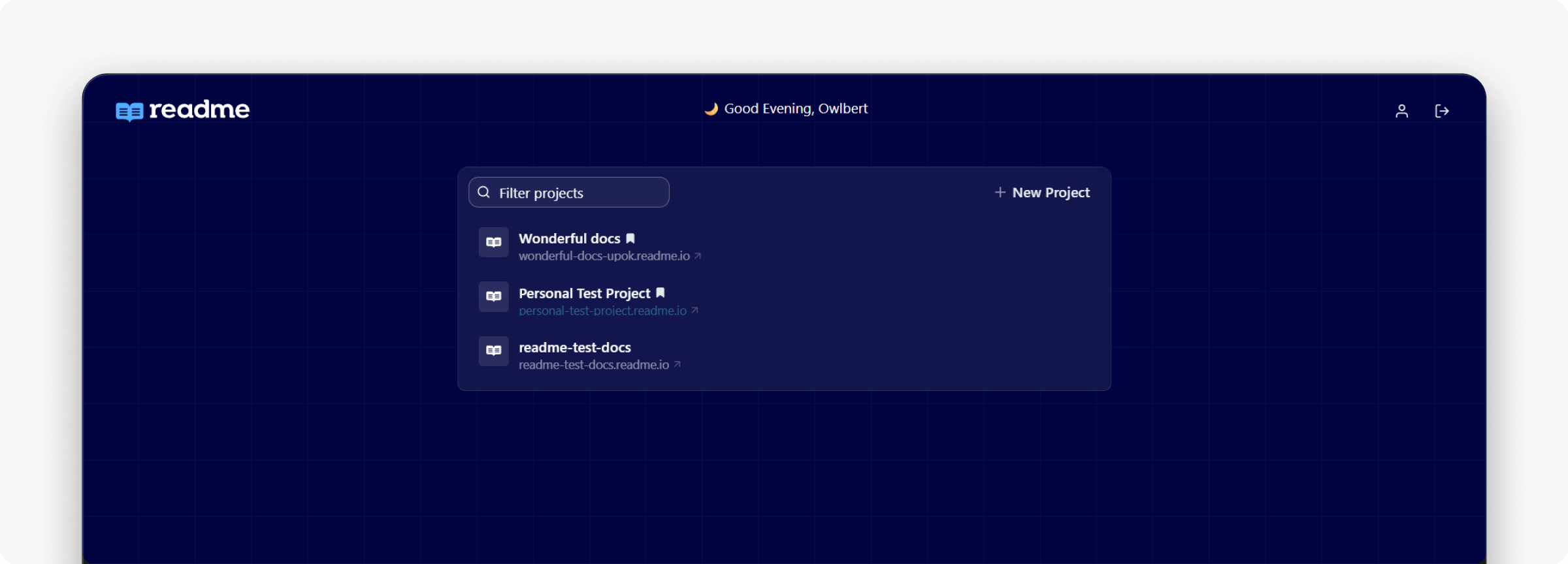
Welcome to your dashboard! This is where you’ll update information related to your ReadMe project(s). It’s also where you can create and update your profile.
To visit your ReadMe dashboard, head to dash.readme.com. Login with your ReadMe account credentials, and if you don’t have an account yet, you can also sign up for an account here.
Once you’re logged in, you’ll arrive at your dashboard home where you’ll see a list of all of the projects that you’re either a Project Owner or Project Admin of.
Click the icon next to your account name in the top nav of the page to see your project settings, where you can edit payments, view invoices, and change your password.
Editing Your Profile
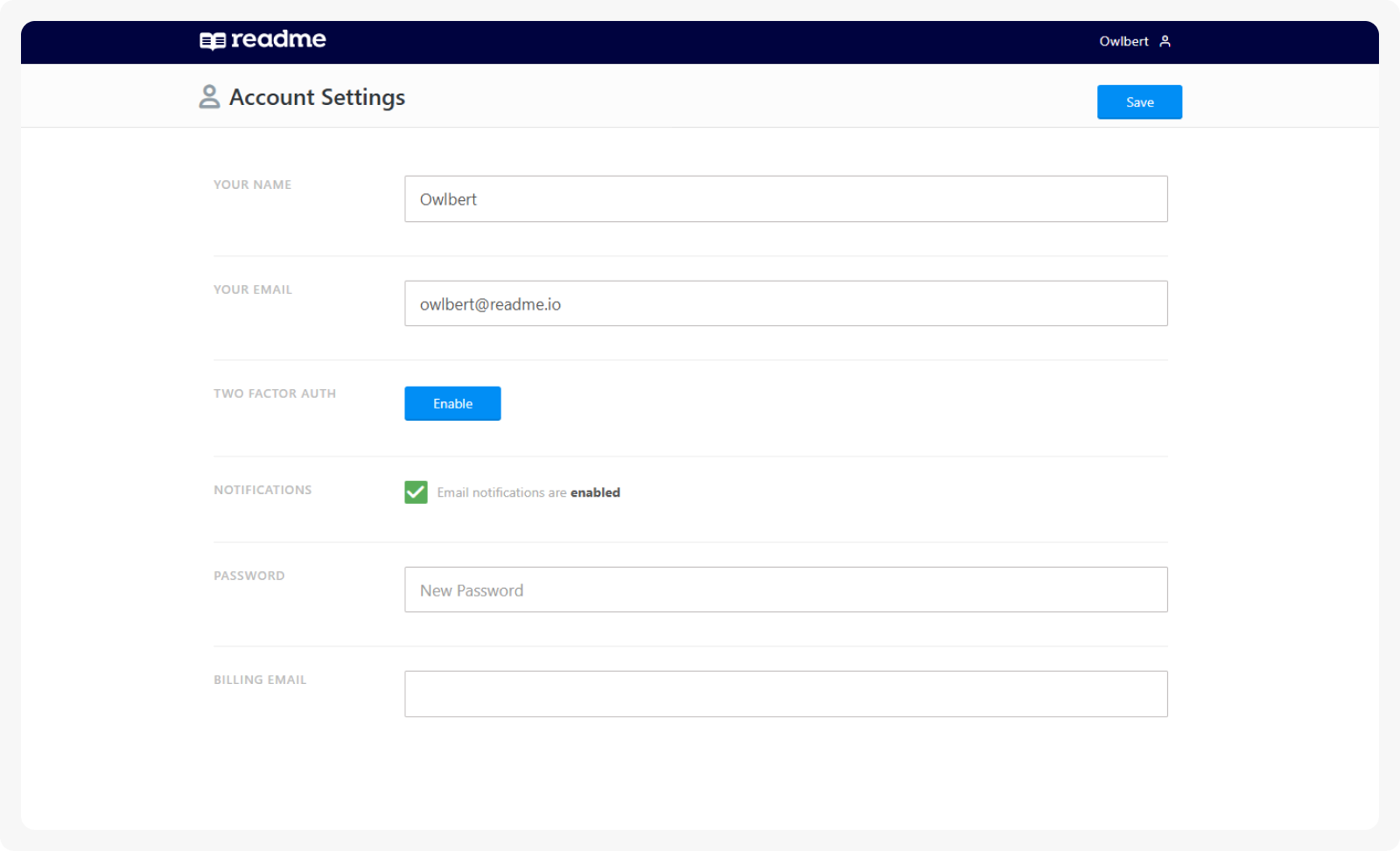
The icon next to your account name is also where you’ll go to edit your profile. In the profile section, you will be able to edit your name, email, password, and billing email. This is also where you can subscribe to notifications and enable two-factor authentication.
Configure Your Project
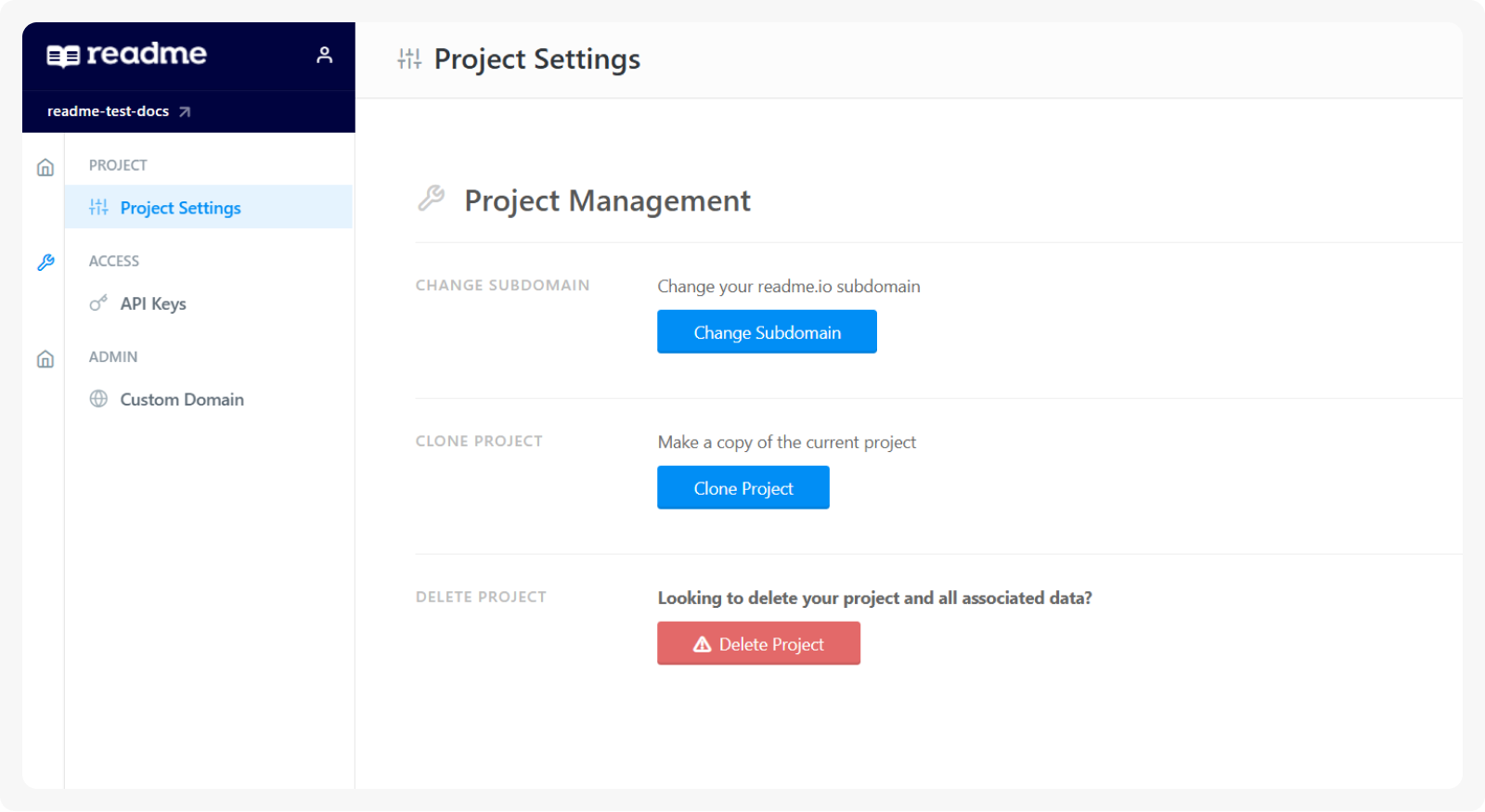
Under Configuration > Project Settings, you can change your readme.io subdomain, clone the project, or delete it.
Manage Your API Keys
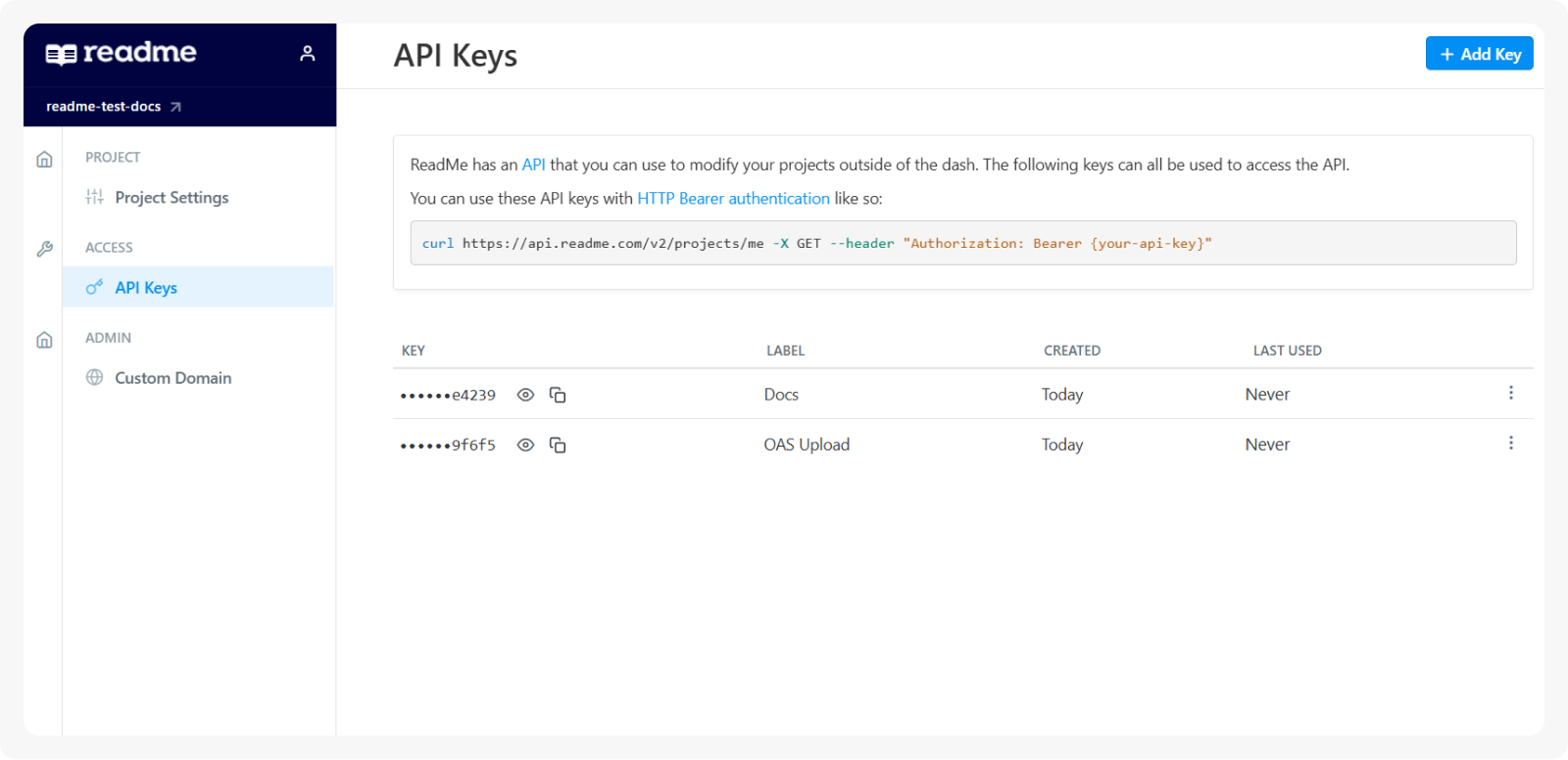
In addition to your admin panel, you can also manage your API keys via your project dashboard in Configuration > API Keys.
Add Your Custom Domain
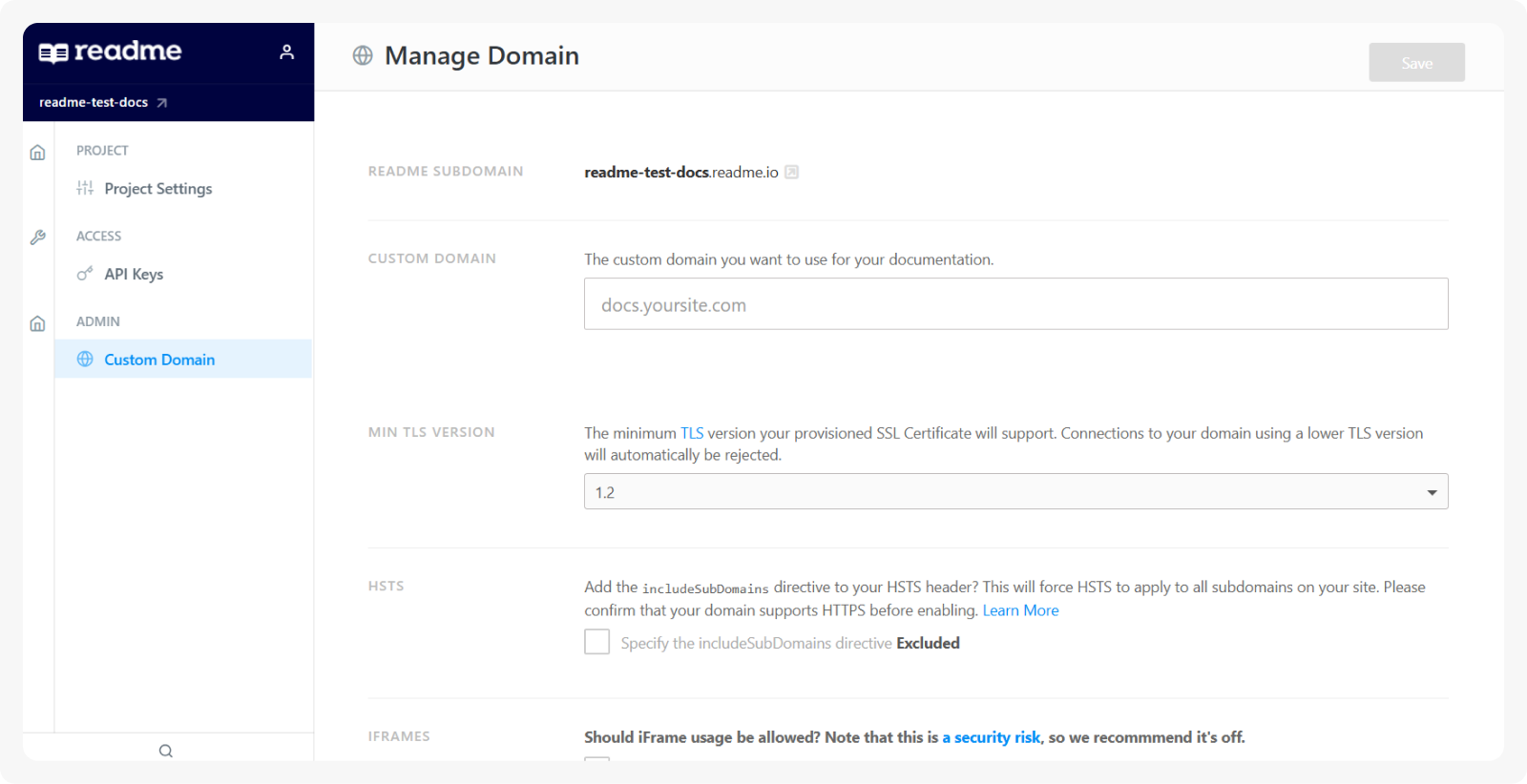
In the dashboard, navigate to Configuration > Custom Domain to add a custom domain name
and give your docs an even more professional look and feel.
Updated 8 days ago